
Turbo Charge Email Creation Mini - Course
Turn Repetitive Emails Into One-Click Tasks Inside Classic Outlook
Stop Rewriting The Same Emails.
This step-by-step mini course shows you how to automate your most common emails using AutoText, Quick Parts, and Templates in Classic Outlook so you can write faster, stay consistent, and free up hours each week.
Cut Your Email Writing Time In Half With Tools You Already Have In Outlook!
Create polished emails in a fraction of the time, without rewriting the same thing every day.
Feel more in control with responses that are ready to go when you need them.
Feel more in control with responses that are ready to go when you need them.
Send clear, consistent messages faster - so you can move on with your day.
Email should be simple, fast, and done.
If it’s draining your time, cluttering your day, and pulling you away from meaningful work, it’s time for a better way.
You deserve a system that handles the repetition for you, so you can focus on real work, not rewriting the same messages.
Are Your Emails Constantly Slowing You Down?
You waste time rewording messages you’ve written a dozen times before.
You scroll through Sent Items just to find something to copy.
Every email feels like a mental drain.
You can’t keep up with your Inbox, let alone everything else.
You’ve never learned how to use Outlook’s time-saving tools.
If email feels like a never-ending task instead of a simple part of your day, you’re not alone.
I know how exhausting it is to feel stuck in email all day
You’ve got bigger things to focus on, but you end up retyping the same responses, second-guessing your wording, or digging through old threads just to get something sent.
After more than 20 years helping professionals streamline their work in Classic Outlook, I’ve seen how a few simple tools can save hours every week.
This course brings together the exact strategies I teach inside organisations to help teams work faster, communicate clearly, and finally get ahead of their Inbox.
Transform The Way You Write Emails - Without Changing The Way You Work
Turbo Charge Email Creation is a practical mini-course for Classic Outlook users who want to write faster, clearer emails, without the stress of starting from scratch every time.
If you’re still rewriting the same messages, copying and pasting old replies, or second-guessing your wording, you’re not alone. And you don’t have to keep doing it that way.
This course shows you how to streamline your email creation process using powerful tools already built into Outlook, so you can save time, reduce errors, and send polished messages with ease.
Turbo Charge Email Creation is the easiest way to go from
repetitive typing to building clear, consistent emails in seconds using
Classic Outlook’s built-in tools.
When Email Slows You Down
Time disappears rewriting the same responses over and over.
Simple messages take longer than they should.
Clarity gets lost in the rush to reply.
Your to-do list grows while your drafts folder fills up.
With Turbo Charge Email Creation
Frequently used content is ready to insert in just a few clicks.
Get the tools you have in Outlook working for you.
Mental load is lighter when you’re not starting from zero.
Email becomes a task you can finish - and move on from.
Write Faster Emails Today -
Before The Price Goes Up!
Get Turbo Charge Email Creation for just $29 (normally $47)
(GST included where applicable)
⏳ This special offer won’t be around for long. Save time, reduce friction, and feel in control of your email - starting today.
Simple, One-Time Payment
💳 Just $29 for full access - no subscriptions, no ongoing fees.
(GST included where applicable)
Get everything you need to write faster, clearer emails using tools already built into Classic Outlook.
Write Faster, Clearer Emails With Built-In Outlook Tools
Reusable Content At Your Fingertips
Save time with AutoText, Quick Parts, and Templates - so you never have to retype the same content again.
With Turbo Charge Email Creation
Create polished, consistent messages that reflect your expertise - without second - guessing your wording.
Email That Works for You
Streamline your process and reduce mental load with ready-to-use content blocks inside Classic Outlook.
What’s Inside ‘Turbo Charged Email Creation’ Mini-Course:

Module 1: Welcome
📌Get an overview of the three powerful email tools built into Classic Outlook - AutoText, Quick Parts, and Templates - and understand how each can help you write emails faster and with more consistency.

Module 2: AutoText Entries
📌Learn how to insert short, frequently used phrases in just a few keystrokes, saving time and keeping your communication consistent across messages.

Module 3: Quick Parts
📌Discover how to reuse longer blocks of content to reply faster without retyping - perfect for courtesy responses or common explanations.

Module 4: Outlook Templates
📌Build complete email templates you can reuse again and again - ideal for recurring messages or consistent team communication.

Module 5: Build On Your Progress
📌You’ve now got the tools to write faster and communicate with more ease. In this final module, you’ll lock in what you’ve learned - and explore two follow-on courses designed to help you clear your Inbox and take control of your entire workload.

Bonus Module: Create Professional Meeting Invites
📌Build complete email templates you can reuse again and again - ideal for recurring messages or consistent team communication.
Module 1:
Welcome
Start with a clear overview of the three powerful tools in Classic Outlook - AutoText, Quick Parts, and Templates - that will help you build emails faster and with less effort.
Understand the purpose and differences between each tool
See where each tool fits into your daily email workflow
Begin identifying content you repeat most often
Module 2:
Using AutoText Entries
AutoText allows you to insert short, commonly used content into any Outlook item in seconds - perfect for greetings, closings, or quick replies.
Create, edit, and delete AutoText entries with ease
Use AutoText across emails, calendar invites, and tasks
Save time and reduce repetition while improving consistency
Module 3:
Using Quick Parts
Quick Parts lets you store and reuse larger chunks of content - ideal for common replies, FAQs, or multi-paragraph responses.
Create and organise Quick Parts for easy access
Modify or remove Quick Parts as your needs evolve
Use for quick, high-quality replies without retyping content
Module 4:
Creating Outlook Templates
Templates allow you to save and reuse entire emails - great for standard messages like introductions, follow-ups, or updates.
Build full email templates and use them anytime
Edit and personalise templates in just a few clicks
Share templates with your team for consistent messaging
Module 5 :
Build On Your Progress
Wrap up the course with clarity and confidence. This final module recaps the key strategies you’ve learned and introduces two follow-on courses that take your email and workload management even further.
Review how AutoText, Quick Parts, and Templates work together
Identify your next steps for building on these tools
Learn what’s possible with Declutter Your Inbox and The Outlook Mastery Course
Bonus Module :
Create Professional Meeting Invites
Streamline your meeting communication with structured, polished invites that save time and help you show up with clarity and consistency.
Use formatting strategies to write clear calendar invites
Reuse layouts for recurring or team-wide meetings
Save time while setting a professional tone
Instant Bonuses When You Join Today
Get extra tools to help you write faster, communicate clearly, and take the stress out of email - available for immediate download when you enrol.
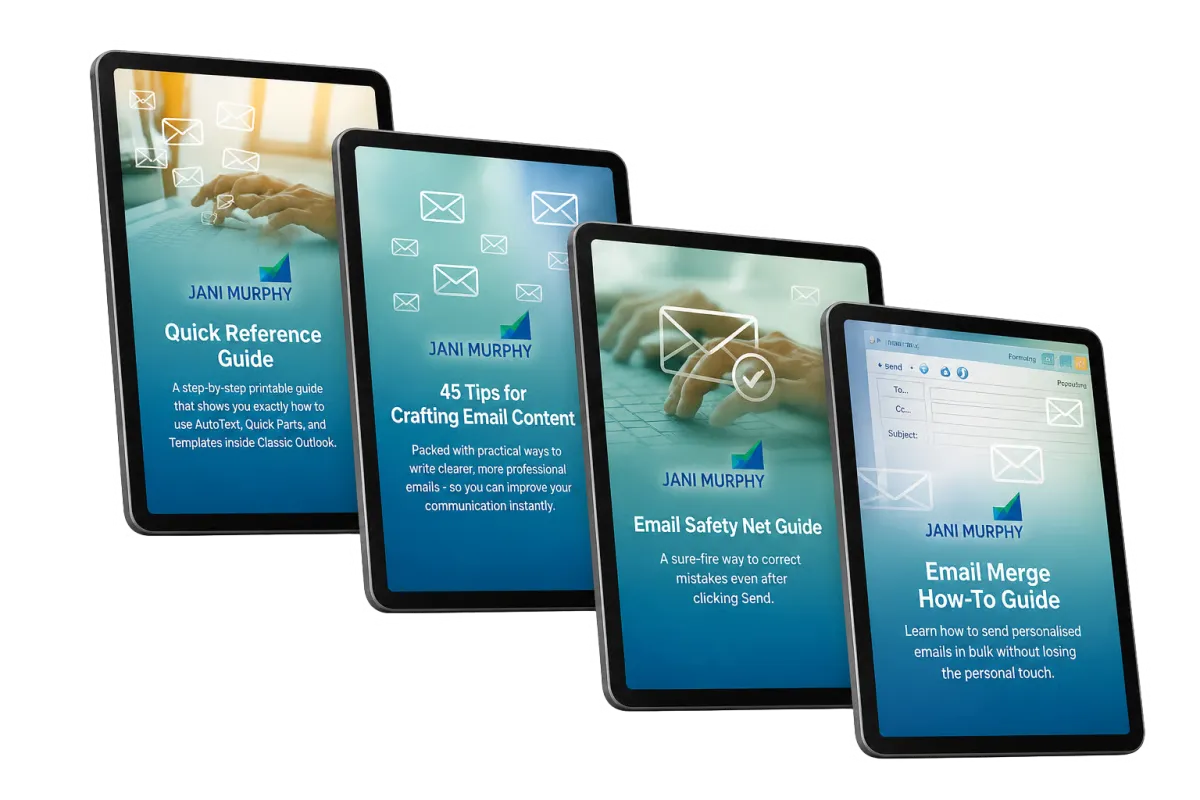
Get Over $100 in Bonuses - Included Free When You Join Today
Quick Reference Guide – Usually valued at $49
A step-by-step printable guide that shows you exactly how to use AutoText, Quick Parts, and Templates inside Classic Outlook.45 Tips for Crafting Email Content – Usually valued at $45
Packed with practical ways to write clearer, more professional emails - so you can improve your communication instantly.Email Safety Net Guide – Usually valued at $29
A sure-fire way to correct mistakes even after clicking Send.Email Merge How-To Guide – Bonus value $29
Learn how to send personalised emails in bulk without losing the personal touch.
OVER $147 WORTH OF VALUE - YOURS FOR ONLY $29
(GST included where applicable)
A Simple 3-Step Plan To Write Faster, Smarter Emails
Sign Up & Get Instant Access
Join today and start learning straight away - no delays, no tech headaches.
Follow The Short, Practical Lessons
Learn how to use AutoText, Quick Parts, and Templates with step-by-step guidance.
Build Emails Faster And With Confidence
Reuse what you write most often, save time, and send polished emails in seconds.
Imagine This...
No More Rewriting - Just Clear, Fast Communication
Write emails that support your work, not slow it down.
Use Classic Outlook to create messages quickly, clearly, and without the repetition.
Create polished emails in seconds using content you’ve already written.
Drop in commonly used phrases without retyping them every time.
Spend less time in your Inbox and more time on the work that moves things forward.
Manually Writing Every Part Of Every Email Is Holding You Back
Typing from scratch, second-guessing every message, and digging through old threads isn’t efficient - it’s exhausting. You don’t need more time, you need a better system.
FAQ
Q: What if I’m not tech-savvy?
A: This course is designed for everyone, with step-by-step instructions that are easy to follow.
Q: How long will it take to see results?
A: You can start implementing what you learn immediately and see time savings right away.
Q. What if I don’t like the course?
A: We offer a 30-day money-back guarantee - no questions asked.
Q: What version of Microsoft Outlook do I need for this course?
A: This course is designed specifically for Microsoft Outlook Classic. If you’re using this version, you’ll have access to all the features and tools we cover in the training. Other versions may have different interfaces or functionalities, so we recommend ensuring you’re using Outlook Classic for the best experience.
Q: How long will it take to complete the course?
A: The course is broken into bite-size chunks that are easy to implement. The total runtime for the course videos is just over half-an-hour.
© 2026 Jani Murphy. All Rights Reserved. Privacy